

How to Build a Task (To Do) List in Power Apps
Building a task list app is a great idea for learning a new development tool like Power Apps because it is a relatively simple application and it involves common development concepts that are used in many applications. It typically involves storing and retrieving...

How to Use Power Apps Patch Function
The Patch function is one of the most important functions to master when working with Power Apps. It allows you to add or update records within your data source. At some point you'll realize the form control is a limiting factor within your Power Apps development...
Power Apps Tabs Containers & Groups
https://youtu.be/qGFZUG4NHrQ When creating your apps in Power Apps, sometimes you need tabs to break down the UI inside a screen. Today Darren & Barry will discuss what is involved in creating tabs in Power Apps. We'll also be discussing the topics of using...

Sum Formula
https://youtu.be/ltki_zoGNxo Using the Power Apps Sum Formula: Whenever you have a collection or table or gallery of values that you need to sum together, use the Sum function in Power Apps. Here, we'll take a look at an example where the values are inside a gallery,...

Email Notifications & Building a Dashboard
https://youtu.be/36ALTFrMtUw Today, we will cover how to send out email notifications from our application once a customer or user enters a ticket into our Service Desk system. They will want to know that we received their request and that we'll be working on it soon!...
Upload Images to Power Apps
https://youtu.be/XS0IJEE6uLo How to Upload Images to Power Apps? Almost any Power Apps application needs to be able to upload or add photos or images into the app, right? Let me show you my favorite way to do this in a live stream. You can ask questions or comment...

Buttons and Variables
https://youtu.be/AKv1wn2QdZo We will cover the Power Apps Variable. Many times, you will need a variable to change things dynamically in your Power App. You will learn here how to set a variable with the Button's OnClick or OnSelect event. You will use this variable...

Questions & Answers
https://youtu.be/4WRJAmnrtXg Feel free to ask any questions regarding the Power Platform or Power Apps. I'll spend my lunch break today answering all your Power Apps questions. I'll also build a little app that will manage all the ideas for future videos I'll do!...

New Tabbed Ticket Screen
https://youtu.be/RFLdk7mr2Y4 This is the screen which our end users will enter a new ticket and request help with their issue. One time offer (for the first ten people who sign up!): https://learn.powerappstutorial.com/o... Here is the link to the student intake form:...

Service Desk: Fixing it & Getting it to Work
https://youtu.be/EpXCTqVlWPc This is a follow-up video to a previous one (link below) where I helped you guys get the Service Desk app to work. Since then, there have been a couple of problem areas which I address here. Also, I tell you guys about a much more...

Order or Reorder Items in a List or Gallery
https://youtu.be/LKUkcHz3iu0 In this video, you will learn how to order or reorder items in a list or gallery in Power Apps. Usually, you will have a field you sort on in a gallery or listing. What if you need to have your users change what item comes before or after...
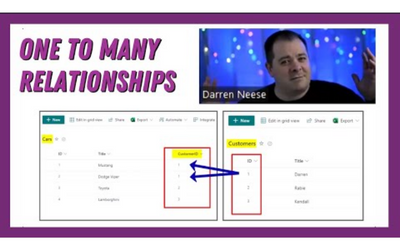
Set Up Relationships in Power Apps
https://youtu.be/c3Rb7wACap0 Find out how to create your table or list relationships in SharePoint quickly and easily with a simple and easy to follow example. We will work with SharePoint Lists. We'll do this by using the Power Platform and SharePoint list...